User Guide
Audit Log
A read-only, tamper-evident history of every significant configuration and administrative change made to your Webhook Guard account. It helps you track who changed what and when.
What is Logged
The Audit Log captures integration changes:
- Creating an integration.
- Editing an integration (name, URL, headers, or topics).
- Deleting an integration.
Reading an Entry
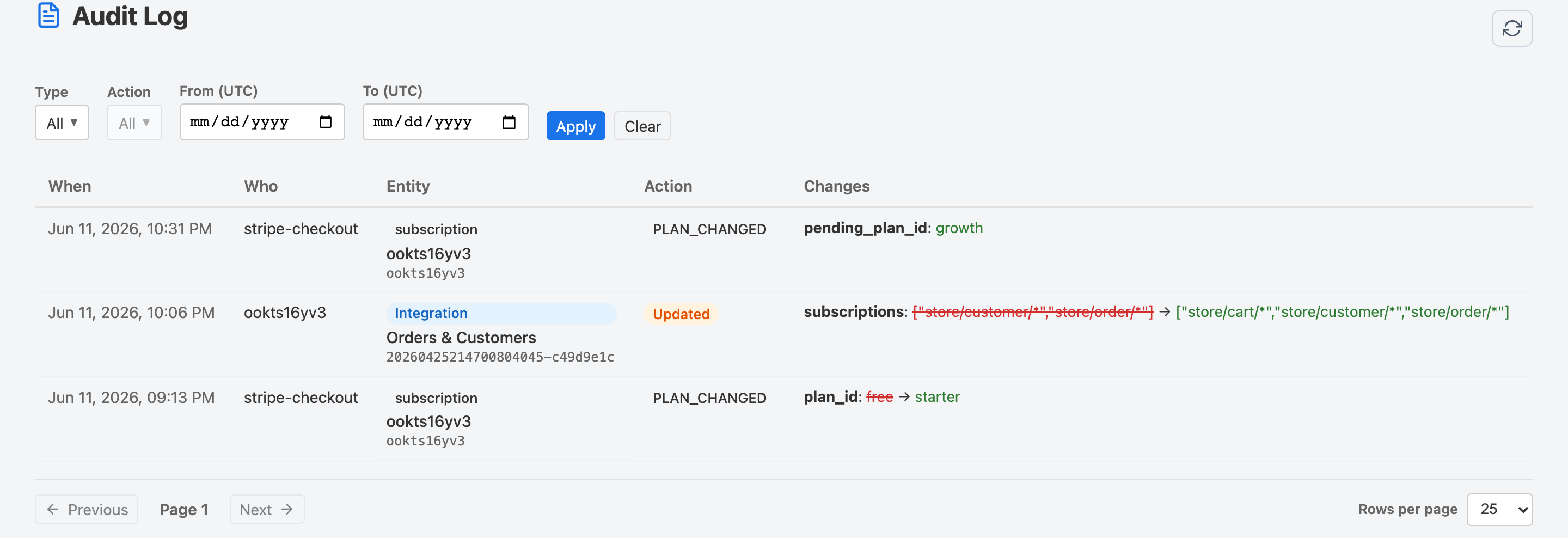
Each row in the Audit Log shows:
- Timestamp — When the action occurred (UTC).
- Action — A human-readable description of what changed.
- Actor — The user or system component that made the change.
- Details — Additional context such as the name of the affected integration.
Filtering the Audit Log
Use the filter bar at the top of the page to narrow entries:
- Type — Filter by entity type (e.g. Integration).
- Action — Filter by action: Created, Updated, or Deleted.
- From / To — Restrict results to a specific date window (UTC).
Click Apply to apply filters, or Clear to reset them.