User Guide
Webhook Events
Your complete record of every event Webhook Guard has received from your platform. It is organized into three tabs: Events, Duplicate Events, and Invalid Events.
On this page
- Events List — browsing, filtering, and bulk retry.
- Event Detail — metadata, matched integrations, and delivery attempts.
- Duplicate Events — events your platform sent more than once.
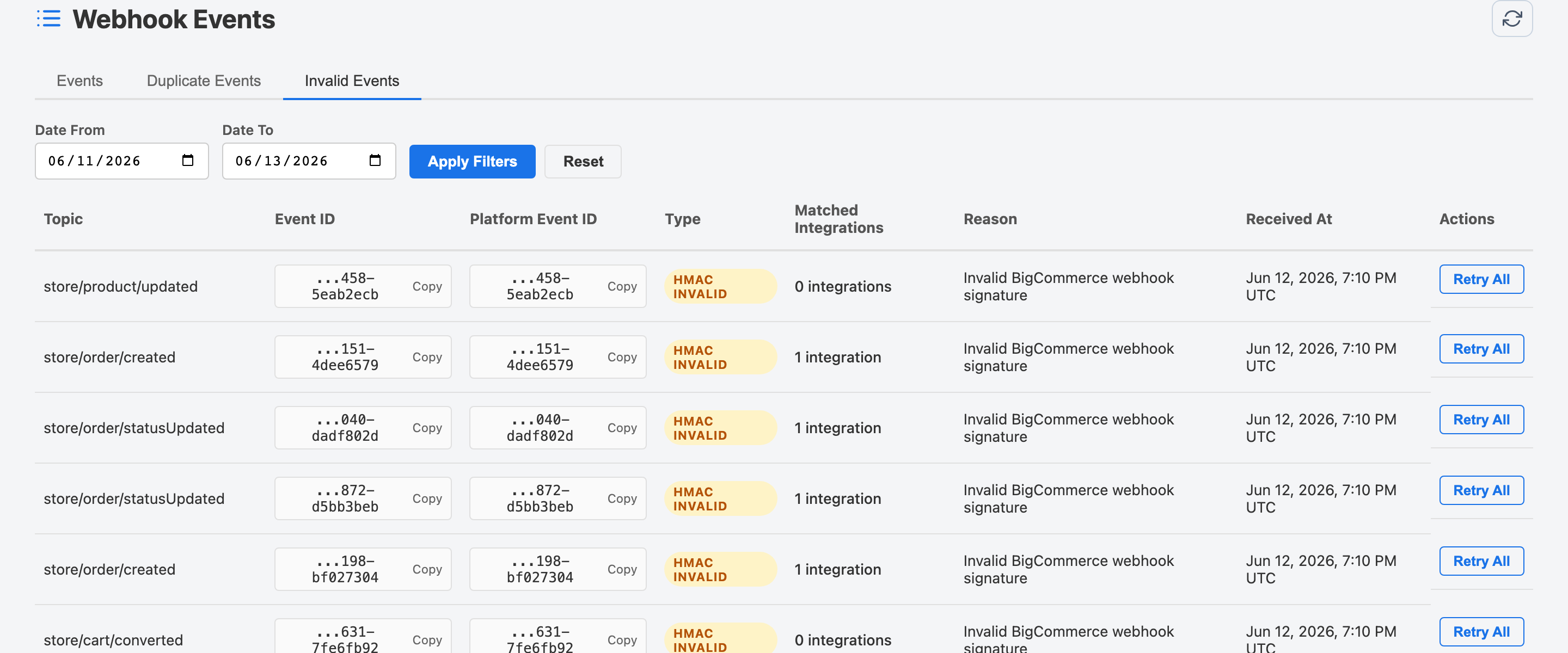
- Invalid Events — events that failed signature validation.
Events List
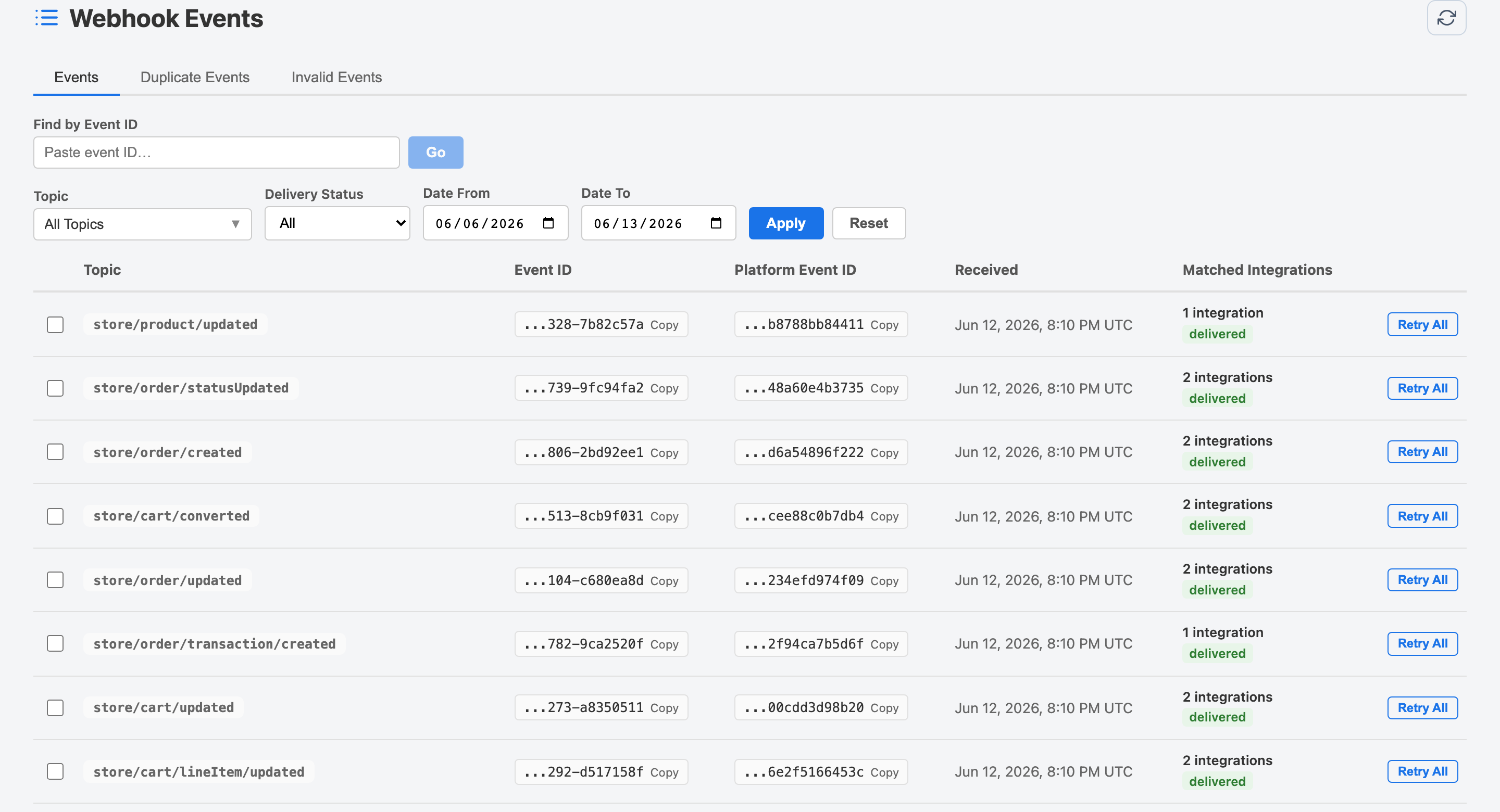
The main tab shows all webhook events in reverse-chronological order. Each row displays the event topic, Webhook Guard event ID, received timestamp, and overall delivery status.
Filtering Events
Use the filter bar above the list to narrow down events by:
- Topic — Filter by a specific webhook topic using the topic dropdown.
- Delivery Status — Show only Delivered, Failed, Pending, or Partial events.
- Date From / Date To — Restrict results to a specific date window.
After setting filters click Apply to reload the list, or Reset to clear all filters.
Bulk Retry
If you have multiple failed events, select them using the checkboxes and click Retry Selected to re-queue all selected events for delivery at once. There is no limit on manual retries.
Event Detail
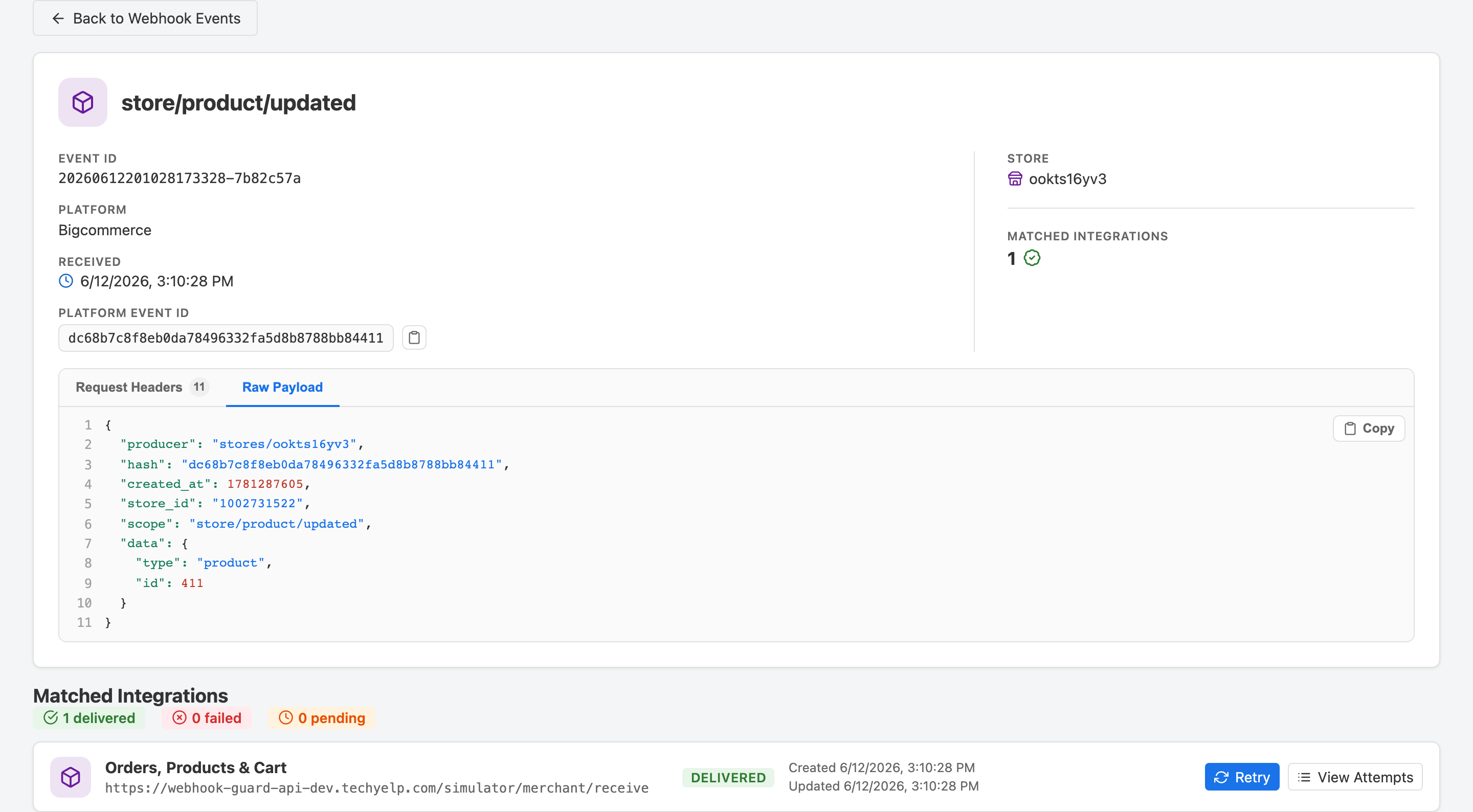
Click any event row to open its detail page. This page is divided into three parts:
Event Information
The top section shows the raw event metadata: topic, Webhook Guard event ID, store, received timestamp, payload size, and the full request headers (sensitive values are partially masked for security).
Matched Integrations
Below the event metadata you see a card for every integration that was subscribed to this event's topic. Each card shows the integration name, endpoint URL, and the overall delivery status for that integration.
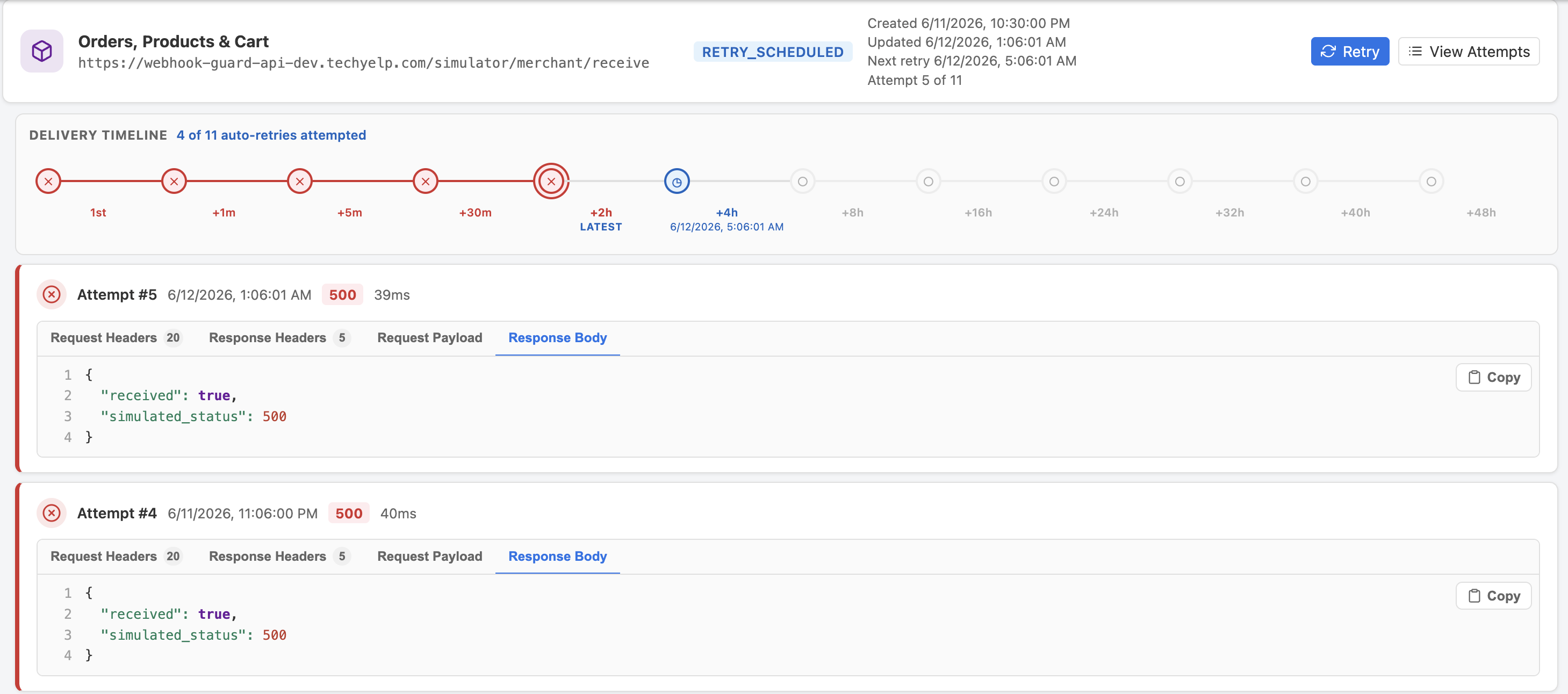
Delivery Attempts
Expand an integration card to see a timeline of every delivery attempt: attempt number, timestamp, HTTP response status, response time, and whether the attempt was the initial delivery or an automatic retry. A Retry button lets you manually trigger a new attempt at any time.
Duplicate Events
The Duplicates tab lists repeated inbound events grouped by Webhook Guard's
current platform event key. For Shopify today, the product uses X-Shopify-Event-Id
for that duplicate grouping. Shopify documents X-Shopify-Webhook-Id as the
individual delivery deduplication identifier and X-Shopify-Event-Id as a correlation
identifier shared by deliveries from the same merchant action.
When Webhook Guard classifies an inbound event as duplicate, it records the occurrence and applies the product's current inbound duplicate policy before downstream delivery. The current scope is platform plus store plus platform event key, with no destination or subscription scope. Manual and automatic Webhook Guard retries are downstream delivery attempts, not new inbound duplicate events.
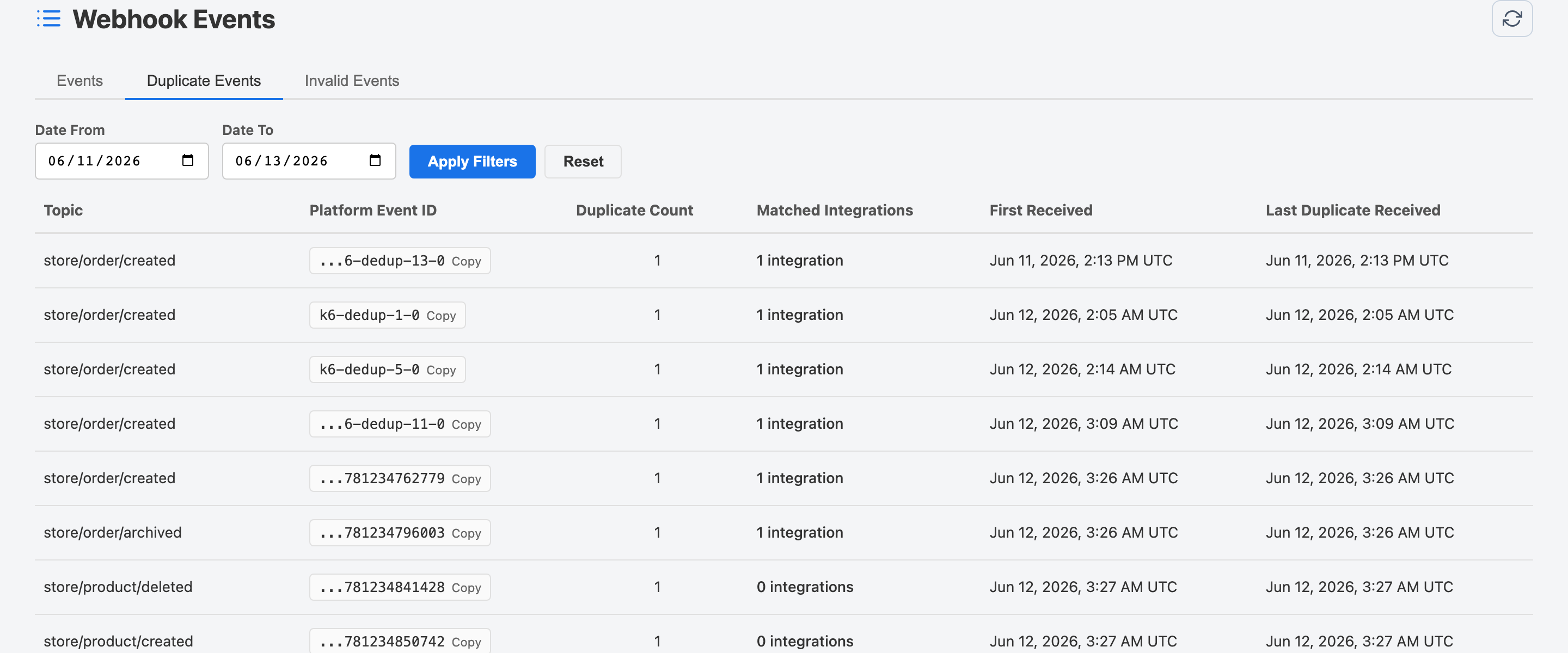
Click a row to open the duplicate event detail page, which shows all the raw duplicate copies received and their timestamps.
Invalid Events
The Invalid tab shows events that failed HMAC signature validation. Webhook Guard verifies every inbound request against your platform credentials. If the signature does not match, the event is rejected and logged here — it is never forwarded to your integrations.