User Guide
Settings & API Keys
Manage your API keys and use them to verify that forwarded requests genuinely came from Webhook Guard. Access it via Settings in the top navigation.
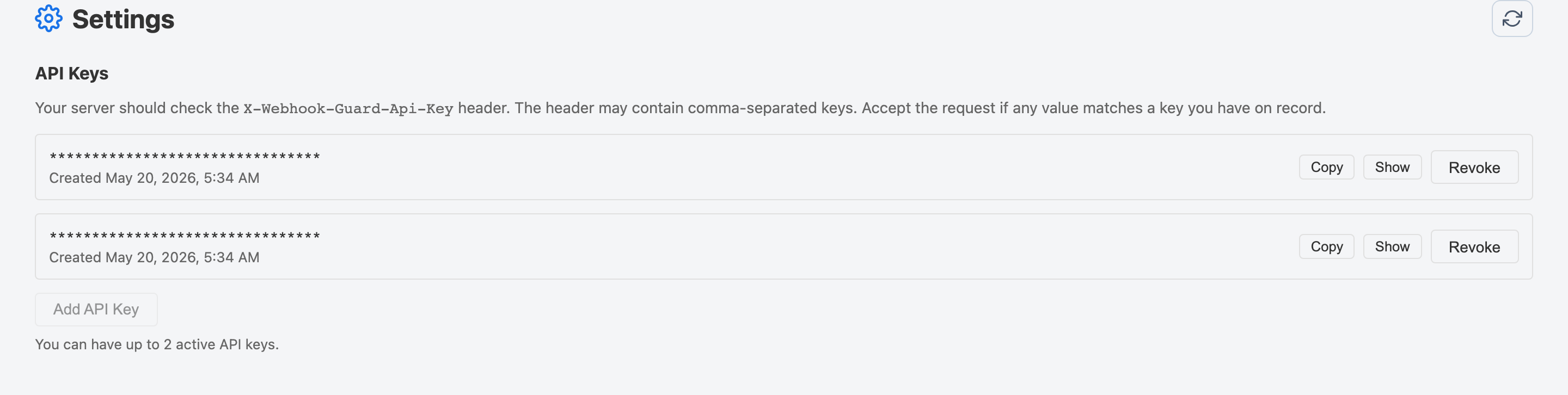
API Keys
Webhook Guard attaches your API key to every forwarded request as the
X-Webhook-Guard-Api-Key header. You can use this on your server to
verify that the request genuinely came from Webhook Guard and not from an unknown
third party.
Adding a New Key
- Click Settings in the top navigation.
- In the API Keys section, click Add API Key.
- The new key is displayed. Copy it immediately — it will be masked after you navigate away.
- Add the key to your server's configuration so it can validate incoming Webhook Guard requests.
Verifying Requests on Your Server
On your server, read the X-Webhook-Guard-Api-Key header and check its
value against your stored API key(s). If you have multiple active keys (useful
during key rotation), the header may contain a comma-separated list — accept the
request if any of the values matches one of your active keys.
// Example verification (Node.js)
const incoming = req.headers['x-webhook-guard-api-key'] ?? '';
const keys = incoming.split(',').map(k => k.trim());
const isValid = keys.some(k => k === process.env.WEBHOOK_GUARD_API_KEY);

if (!isValid) {
  return res.status(401).json({ error: 'Unauthorized' });
}
Revoking a Key
- In the API Keys section, find the key you want to remove.
- Click Revoke next to that key.
The Attempt Header
Every forwarded request also includes an X-Webhook-Guard-Attempt
header. Its value is the attempt number: 1 for the initial delivery,
2 for the first automatic retry, and so on. Use this on your server to
distinguish first-time deliveries from retries if needed.