User Guide
Plans & Pricing
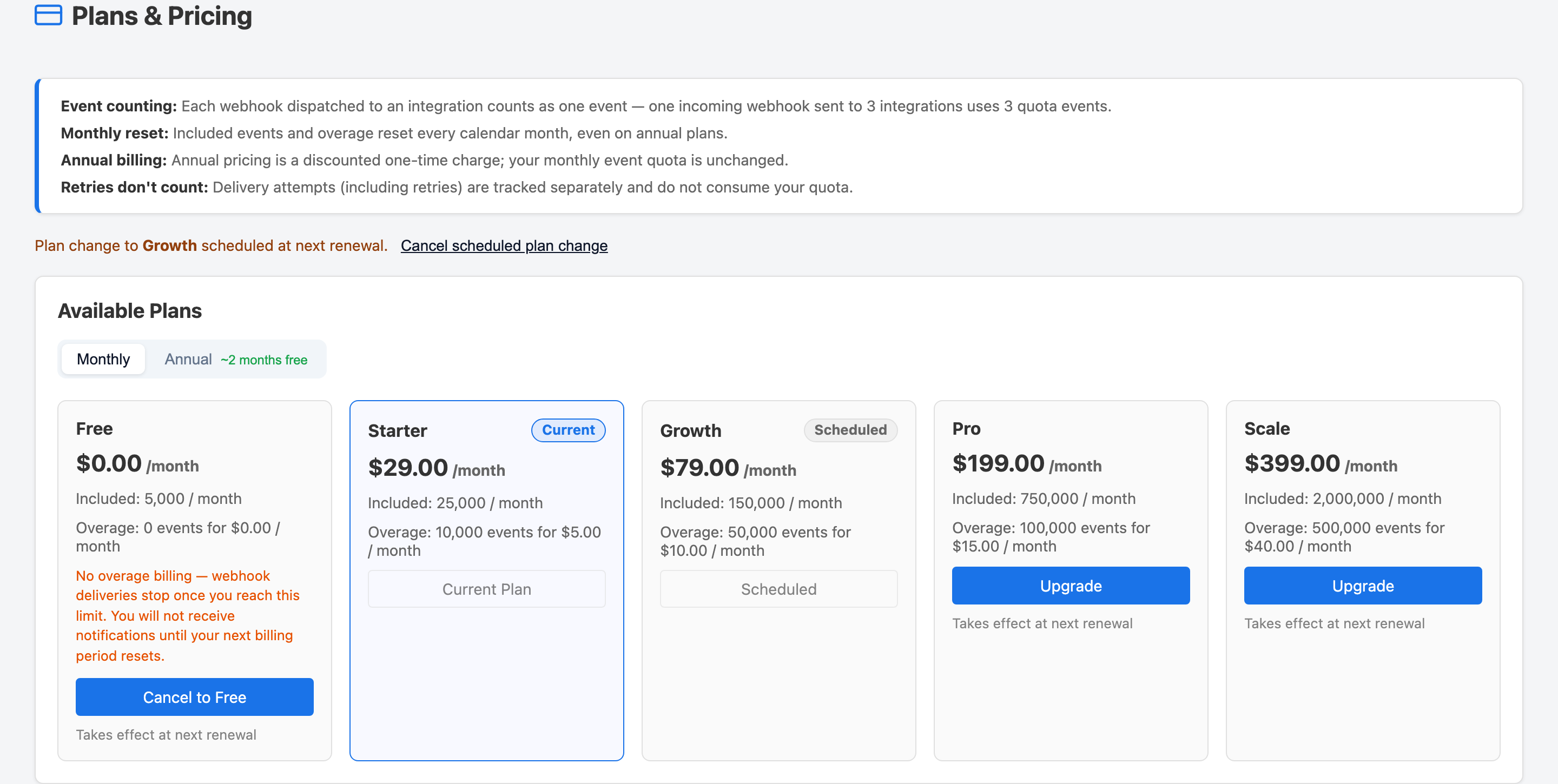
View available plans, compare what's included in each tier, and upgrade or change your plan at any time from the Billing menu.
Accessing Plans & Pricing
- Click Billing in the top navigation.
- Open the Plans & Pricing tab.
The page shows all available plans side by side. Your current plan is highlighted.
Changing Your Plan
- Find the plan you want to switch to on the Plans & Pricing page.
- Click Upgrade or Select Plan.
- If the new plan requires a payment method and you haven't added one yet, you will be prompted to add a card before the change takes effect.
Upgrades take effect immediately. Downgrades take effect at the end of your current
billing period so you keep access to your current plan's features until then.